

|
|
|
Proximity develops, maintains, and provides access to K-12 school and school district mapping and related spatial analysis tools. Map files (shapefiles) include school point (building/campus location) files and school district boundary files. These files may be used for orienteering and visually based analyses using mapping and GIS (geographic information system) applications. This section has been updated. See this Gallery section. Santa Clara, CA Map Project Use this school district map project and associated mapping or GIS software to view school district in the context of other geography. See how you can easily relate different types of geography and access dynamic decisionmaking information. The same software can be used for shapefiles for school district geography nationwide and most any type of related geography. The following selection of screen shots illustrate what you can view using the map project. Four California counties with additional map layers for Santa Clara County. 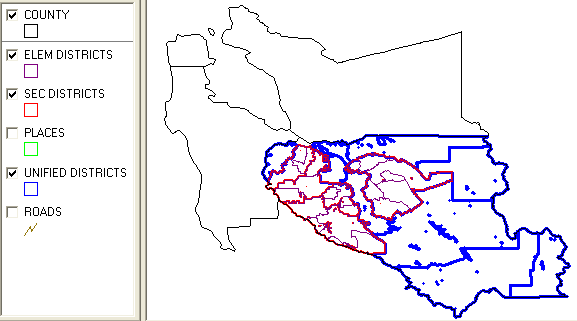
Zoom into Santa Clara County. Match legend (above) at left with boundaries shown in map. 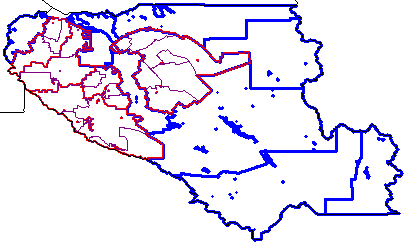
Further zoom into Santa Clara County. Places boundaries (green) now turned on. 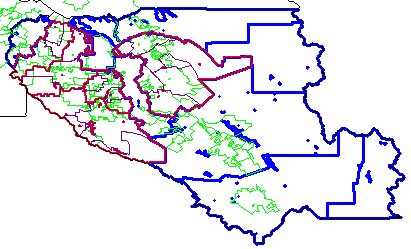
Santa Clara County with roads/streets (brown) now turned on. 
Further zoom-in and results of a query to locate and highlight San Jose city (yellow). 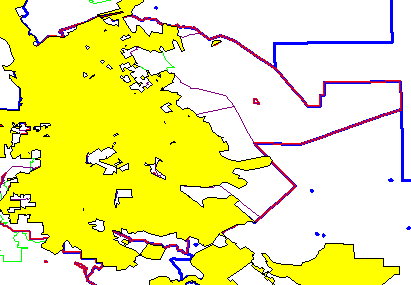
Use i identify tool to click on a selected area (an elementary district in this example) and then view profile of district in left panel. 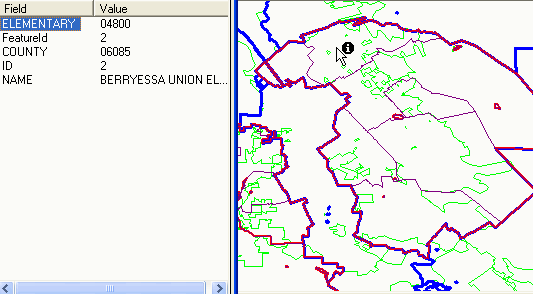
Further zoom into the selected elementary district with street overlay. 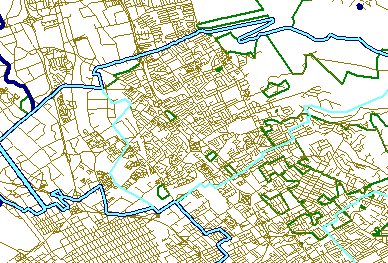
Further zoom into the selected elementary district. Street names/labels turned on. User changes boundary styles so elementary (light blue) can be seen where superimposed on secondary (red) and superimposed on unified (dark blue). Place/city boundary, still green could be modified in any manner as well. Additional Information Proximity develops geodemographic-economic data and analytical tools and helps organizations knit together and use diverse data in a decision-making and analytical framework. We develop custom demographic/economic estimates and projections, develop geographic and geocoded address files, and assist with impact and geospatial analyses. Wide-ranging organizations use our resources (software, data, methodologies) to analyze their own data integrated with other data. |
|
|