
|
|
|
July 2026 .. This section provides instructions on use of the Visual Data Analytics (VDA) feature to convert a VDA project for use with other software including ESRI ArcGIS Pro, QGIS and others. The process described here applies to the ESRI ArcGIS Pro. A project is a set of references used by the associated software to define and knit together a set of shapefiles or other geospatial data. There is no standard for the structure of a project. The project content is generally unique to the particular software being used. VDA GIS has been developed by Warren Glimpse/ProximityOne/Alexandria, VA USA and Takashi Hamilton/Tsukasa/Osaka, Japan. All that is required to use VDA is a Web browser. iOS and Android versions are supported. VDA uses the same core structure as the Windows desktop VDA Desktop. Make and manage your own GIS projects, securely and efficently.
Quick Start
Converting a VDA Project to ArcGIS Pro
There is nothing to install. The user interface is started here and shown below. User Interface 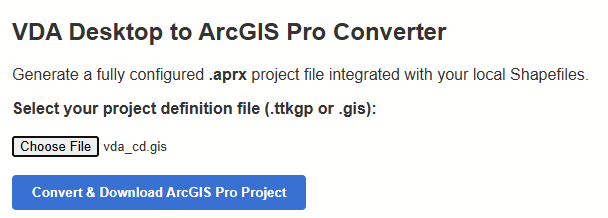
The only input is a valid VDA Desktop GIS project name. Convert any VDA Desktop GIS project that is stored on your computer. You must have the VDA Desktop GIS project .. vda_cd.gis, used in this example, local on your computer. For the project to operate on your computer also requires all geospatial layers or shapefiles. This example uses the 119th Congressional Districts and associated shapefiles. You may also add other geospatial data to the ArcGIS project such as the Congressional Communities (CCs) Itemset1 data. These data provide exact subdivisions of the congressional disitricts with attributes derived/developed from census tract ACS2024 5-year data developed by the non-profit organization Congressional CommunitIes. Development of the Layer CD119 ACS241 Population This shapefile underlying this layer starts with the 2024 shapefile from the Census Bureau. We add (merge) the 160 items from the updated Census 2020 (fall 2025) CD119 dataset using the Demographic-Economic Data Explorer (DEDE). Then we add selected ACS2024 items including the field totpop24 using DEDE. Attributes of Layer CD119 ACS241 Population The 119th Congressional District layer contains data items from the revised Census 2020 Demographic Profile (released fall 2025) and selected American Community Survey 2024 1-year data (ACS2024). This layer shows the field totpopa24 -- total population for the CD based on the ACS 2024 1-year data. This is presently the most recent estimate available. Using this layer it it also possible to show patterns of the change or percent change in total population from 2020 to 2024. The VDA Desktop GIS VDA_CD.GIS project as shown when opened with VDA Desktop is shown below. Note that the only layer shown in the legend (checked) and map window is the 119th Congressional Districts. VDA Desktop GIS Original VDA_CD Project 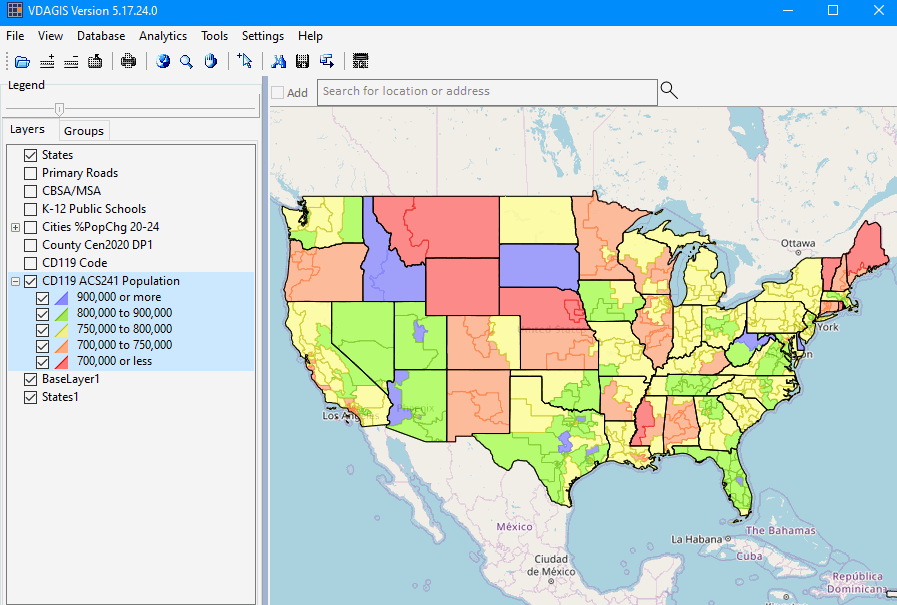
The converted project is shown here using ArcGIS Pro.
Note: you will not see the full legend and map unless you have the shapefiles and related files.
The VDA Desktop project in a zip file is located here: https://drive.google.com/file/d/11_H1Y4910xBTUPJzVrvMehe0n7BMMO7G/view?usp=sharing
There is a fee of $50 to download the complete VDA Desktop GIS VDA_CD.GIS project. Click here to pay.
See terms of use that apply to your use of the files.
Registered users will receive details for downloading.
ArcGIS Pro GIS Converted VDA_CD Project 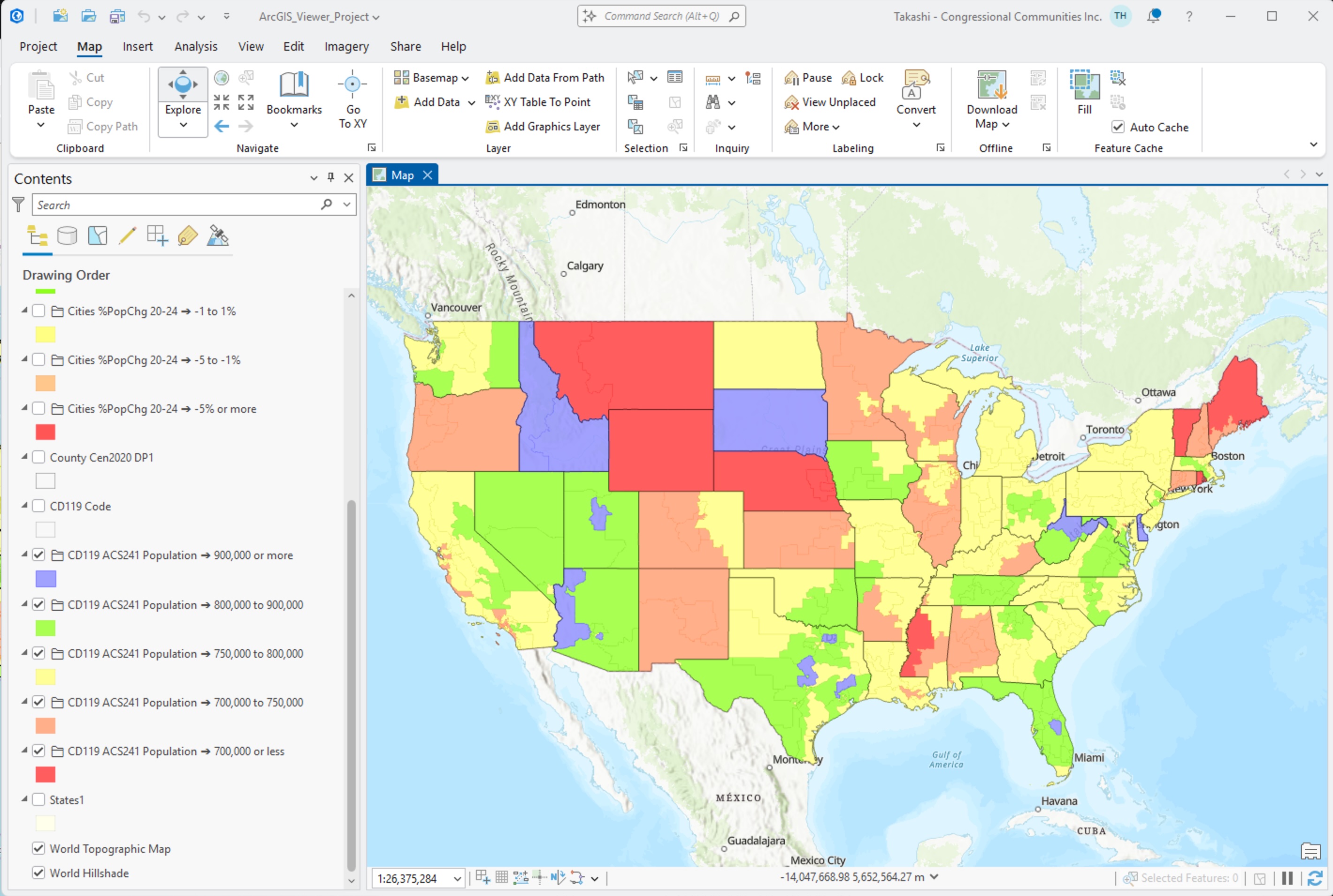
About Visual Data Analytics GIS .. goto top VDA has been developed by Warren Glimpse/ProximityOne/Alexandria, VA USA and Takashi Hamilton/Tsukasa/Osaka, Japan. All that is required to use VDA is a Web browser. iOS and Android versions are supported. VDA uses the same core structure as the Windows desktop VDA Desktop. Make and manage your own GIS projects, securely and efficently. Terms of Use .. goto top This single user license applies individually to each user of VDA Converter. By starting the VDA Converter the user agrees to be bound by these terms of use. These data are for your personal use and may not be redistributed or shared. The user of the VDA Converter assumes all reponsibilities for all aspects of the use of the VDA Converter. Support Using these Resources .. goto top Learn more about accessing and using ACS data integrated with other data; examine characteristics and patterns for your study areas and applications. Join us in a Data Analytics Web Session. There is no fee for these one-hour Web sessions. Each informal session is focused on a specific topic. The open structure also provides for Q&A and discussion of application issues of interest to participants. Additional Information ProximityOne develops geographic-demographic-economic data and analytical tools and helps organizations knit together and use diverse data in a decision-making and analytical framework. We develop custom demographic/economic estimates and projections, develop geographic and geocoded address files, and assist with impact and geospatial analyses. Wide-ranging organizations use our tools (software, data, methodologies) to analyze their own data integrated with other data. Contact us (888-364-7656) with questions about data covered in this section or to discuss custom estimates, projections or analyses for your areas of interest. |
|
|
