|
|
|
... data analytics tools for K-12 schools & school districts Simplify viewing and analysis of the complex relationships between students, staff, schools, attendance zones, finances, infrastructure and demographics ... this involves using the right set of integrated data and tools to understand the mix of these entities and how they are changing. The School District GeoDemographic Information System (SDGIS) provides a solution. Scottsdale USD, AZ -- illustrating use of SDGIS .. black bold boundary; schools, attendance zones, patterns of economic prosperity by neighborhood, zoom-in to school, viewing streets .. add students and more. 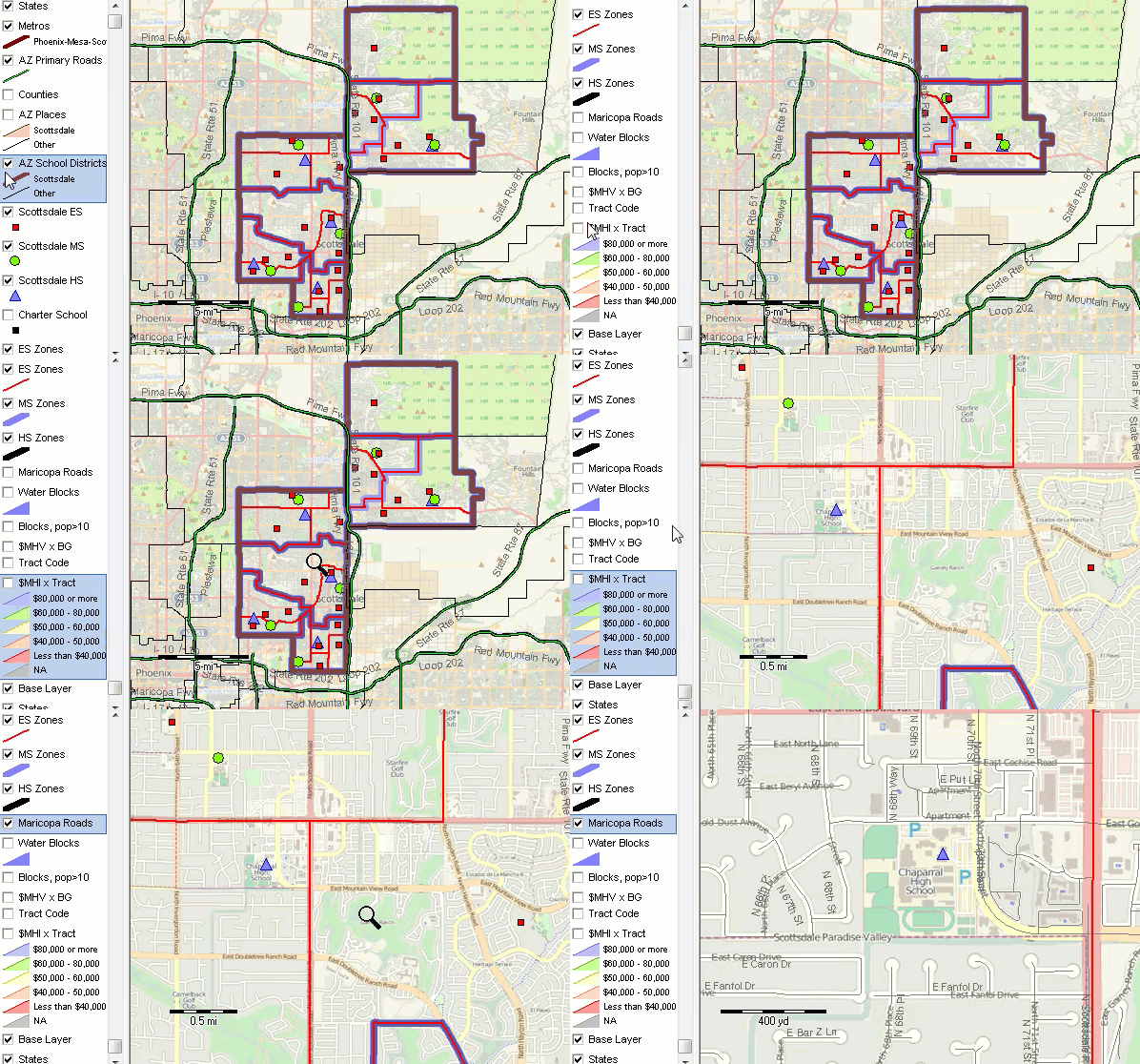
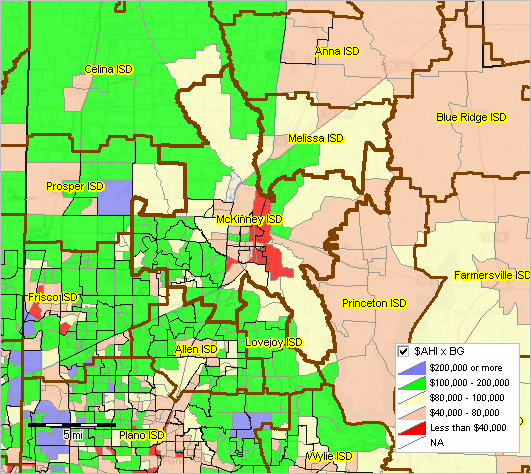
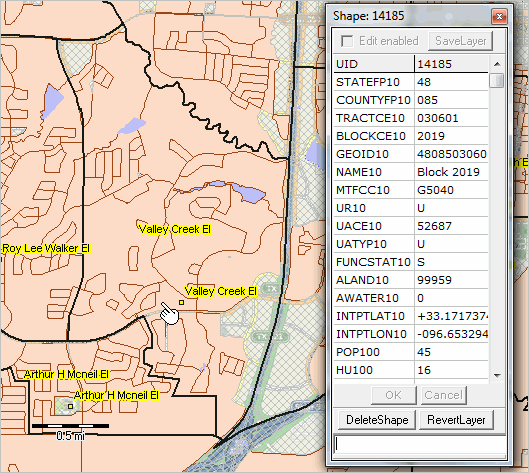
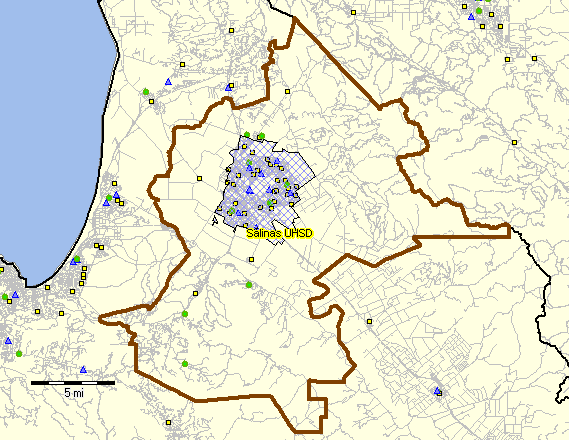
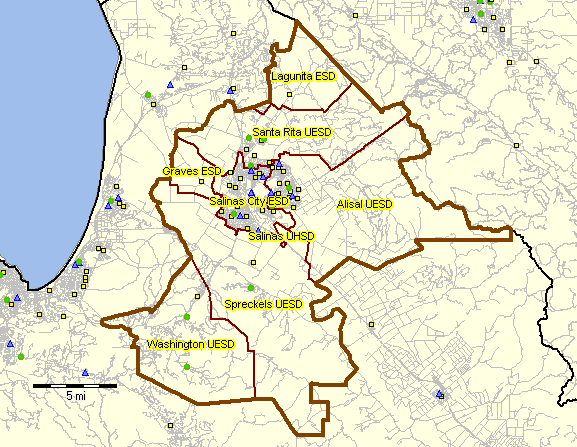
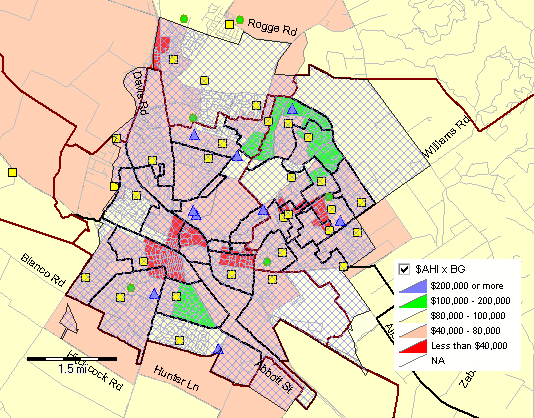
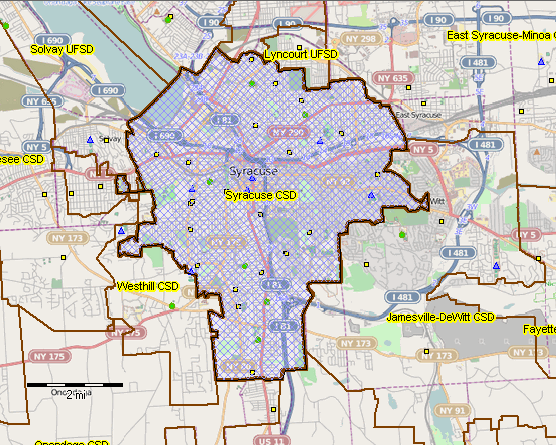
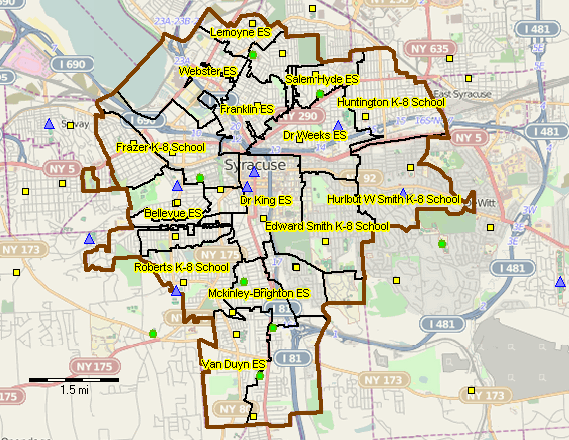
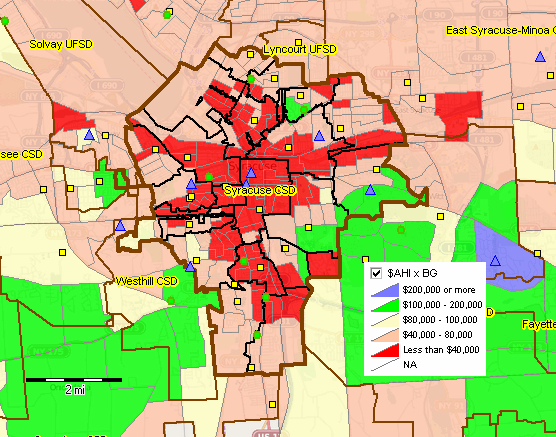
How have school attendance zones changed geographically and demographically since 2010? Collaborative management, evaluation and planning are facilitated through visual analysis of the data. Using analytical tools and data can lead to insights, improved learning opportunities and more cost-effective outcomes. Examples of these complex relationships include this story about schools in New York City. There are hundreds of other such stories that are very different in communities across America -- all sharing the need for better tools and methods to examine and understand the current situation and change. Selected District Project Sections • Houston, TX Metro -- region: 62 school districts - Fort Bend ISD, TX • Kansas City MO-KS Metro -- region: 83 school districts - Kansas City Public Schools, MO -- Kansas City,MO-KS metro • Washington, DC Metro -- region: 24 school districts • Isaac Elementary School District, AZ -- Phoenix, AZ metro • Allegany Schools, MD -- Cumberland, MD-WV metro • Kansas City Public Schools, MO -- Kansas City,MO-KS metro • Lakota Schools, OH -- Cincinnati, OH-KY-IN metro • Austin ISD, TX -- Austin-Round Rock,TX metro • Edgewood ISD, TX -- San Antonio,TX metro • Wake County Schools, NC -- Raleigh, NC metro • Wichita USD 259, KS -- Wichita, KS metro The School District GeoDemographic Information System (SDGIS) is an integrated software and database package developed for use by schools, school districts and education agencies and stakeholder organizations. ProximityOne develops, deploys and supports the SDGIS tailored to the individual school/education agency structure and needs. Wake County Schools, NC - Wake County located in Raleigh, NC metro - elementary schools: red markers; elementary attendance zones: red boundaries. - Wake County Schools demographic-economic profile 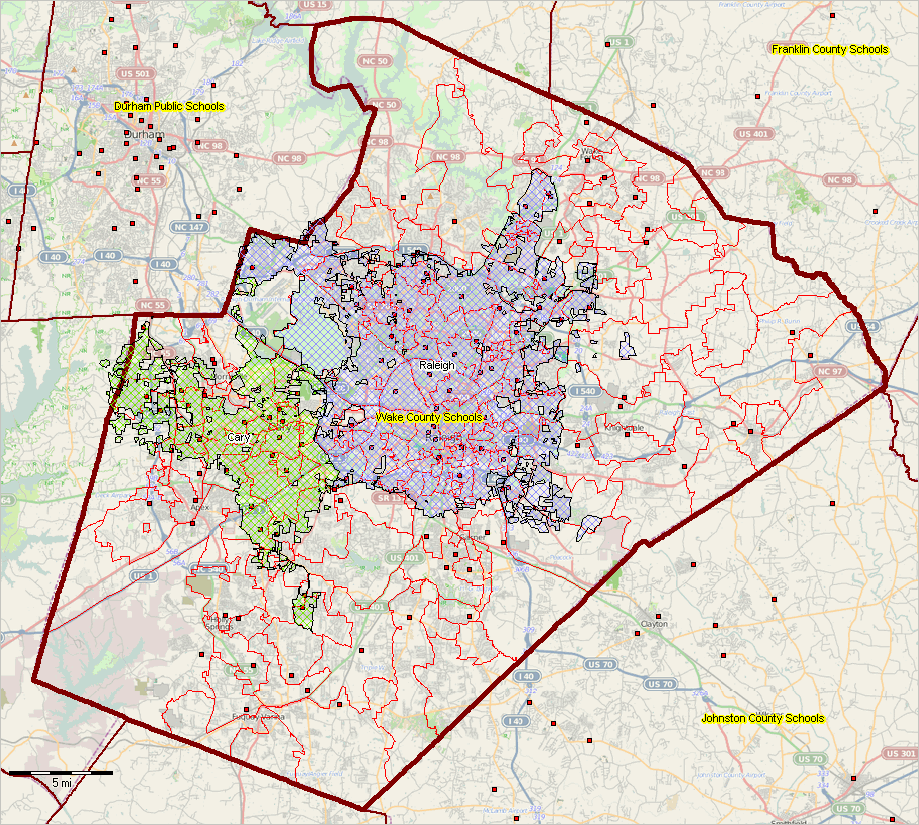 -- view created using CVGIS and associated GIS Project -- click graphic for larger view illustrating Cary and Raleigh cities in context. Expand browser window for best quality view. The SDGIS enables you to use GIS tools to visually analyze demographic, economic, and education-related data. Explore patterns. Flexibly, interactively develop insights through map views and database queries that can lead to education improvement, more efficient ways of managing operations, and/or gain insights into the school district and school district community infrastructure. A school district has many diverse data about students and its community. Usually the data are available in tables, lists, and charts and often not easily used by teams, committees, planners, board of education, administration, other staff and for collaboration with stakeholders. The SDGIS enables you to knit these data together for wide-ranging analyses. By enabling district planners and decision-makers to more effectively identify and understand patterns, the district can better choose steps to improve performance and educational opportunities. More Examples .. integrating multi-sourced data ... the SDGIS start-up view is shown below for McKinney ISD, TX located in Collin County, TX in the northern part of the Dallas, TX metro. The pointer is located near an elementary school in the corresponding school attendance zone. A similar ready-to-use SDGIS project is available for any school district. 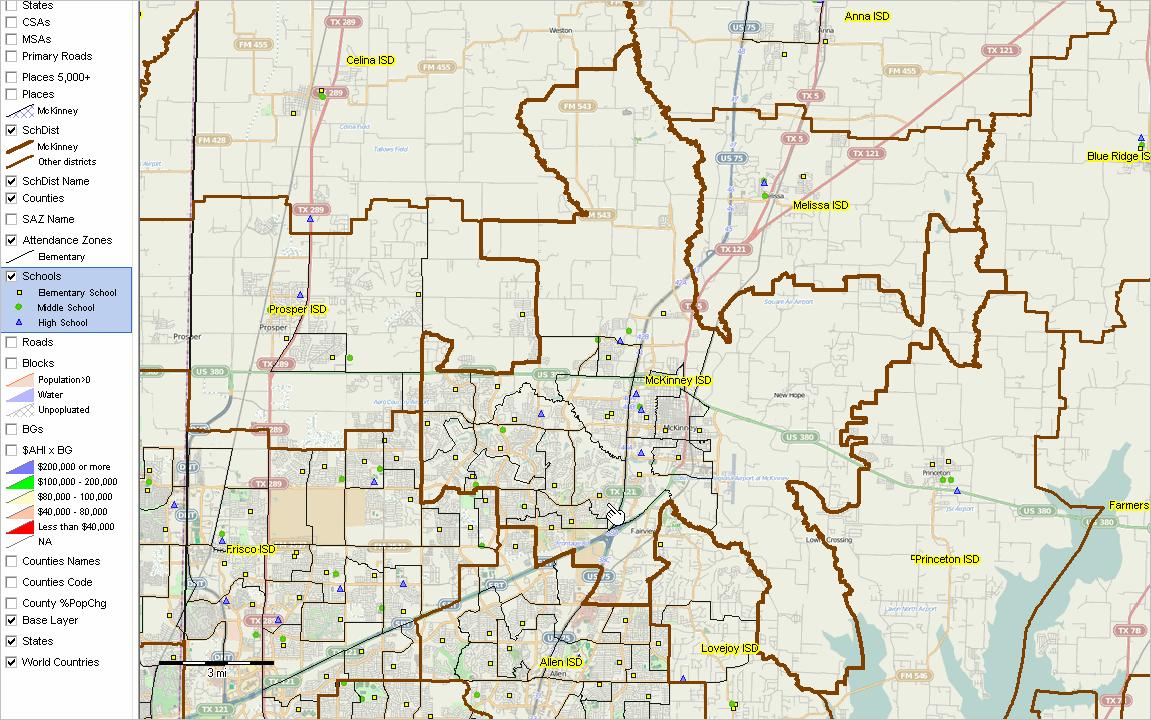 -- view created using CVGIS and associated GIS Project ... click graphic for larger view. Click links below to show/hide additional illustrative views • McKinney ISD, TX Demographic-Economic Characteristics .. with ACS 1-year data • McKinney City in Context of McKinney School District & County • Thematic Pattern Map: Attendance Zones overlay on Block Groups Patterns • Zoom-in to Valley ES Attendance Zone with Census Blocks • Zoom-in to Valley ES Attendance Zone with Students More Examples: Click links below to show/hide additional sample district views • Salinas ESD, CA Demographic-Economic Characteristics .. with ACS 1-year data • Salinas UHSD, CA Demographic-Economic Characteristics .. with ACS 1-year data • Salinas UHSD, CA SDGIS .. Salinas UHSD, CA .. Salinas UHSD, CA and associated ESDs .. Salinas UHSD, CA economic prosperity by block group • Syracuse CSD, NY Demographic-Economic Characteristics .. with ACS 1-year data • Syracuse CSD, NY SDGIS .. Syracuse City School District (CSD), NY .. Syracuse CSD, NY and associated attendance zones .. Syracuse CSD, NY economic prosperity by block group What You Get & Benefits Basic SDGIS components are described below. SDGIS is installed on your computer. The SDGIS is comprised of the ProximityOne CVGIS software and a set of integrated data. We provide a year-long support program to facilitate effective use, optionally renewable. This software and data package is available for any school district for the fee of $2,495. National, regional and county geographic coverages are also available. The resources are provided for your perpetual use -- use the tools into the future without further cost. Alternatively, we are available to update the data, provide software updates and wide-ranging support services. Optionally integrate ProximityOne demographic-economic projections into your package. • Benefit from having the technology tools at your fingertips, without the typical costs for additional staff. • Better understand household characteristics of your district overall and by neighborhood. • Perform analyses that are otherwise only available though special studies. • Examine characteristics of students (student patterns) without using contracted services. • Examine what-if scenarios for alternative attendance zone redistricting plans. • Integrate/analyze attributes of households, neighborhoods, students, businesses, finance, infrastructure. • Share visual depictions of patterns and characteristics with the board, committees and stakeholders. • Collaborative more effectively; a map is worth a thousand words. • Connect related parts of your community, such as health services, transportation, zoning. Does your district already use GIS software? There is no fee or requirement to use the CVGIS software. Your district can use the geographic and demographic-economic data in the form of transportable shapefiles with any GIS software that can use shapefiles. Basic SDGIS • CVGIS software; ready-to-use project fileset. • One year phone and e-mail support. • Optional components may be added to the Basic SDGIS. 1) ready-to-use GIS project - it can be opened with the no-fee CVGIS software. 2) Shapefiles included with the GIS project • U.S. by state • U.S. by county • District/region block group shapefile with integrated demographic-economic data .. selection of items; see more detail at http://proximityone.com/acs1115.htm • District/region census tract shapefile with integrated demographic-economic data .. selection of items; see more detail at http://proximityone.com/acs1115.htm • District/region census block shapefile with integrated demographic data .. selection of items; see more detail at http://proximityone.com/cen2010_dpsf2010.htm • State places/cities shapefile • District/region detailed roads shapefile • District/region K-12 school attributes shapefile .. selection of items; .. see more detail at http://proximityone.com/dataresources/guide/index.html?k12_sch_public_1415.htm • District/region school attendance zone shapefile Options & add-ons • geocoded student data with attributes (school, grade, perfromance, other) • school attendance zone integrated Census 2010 subject matter .. aggregated selected census block data and block code to SAZ • school attendance zone integrated ACS 2015 subject matter .. aggregated selected census block group data and block group code to SAZ • add other types of geography and data .. tax parcels .. add your geocoded student data • integrate/use our demographic-economic projections • use more advanced version of the CVGIS software providing capabilities tailored to your needs. Terms of Use SDGIS software and data (SDGIS) are proprietary data developed by ProximityOne. SDGIS provided to the licensee may be used in any manner except that neither 1) the software nor data may be distributed and 2) the software nor data may be shared with or transferred whole or in part to others. While efforts have been used to develop the best possible software and data, there is no warranty of any type associated with any aspect of SDGIS, SDGIS software or SDGIS data. The user of these data is solely responsible for any use, direct or indirect, that might be made of SDGIS, SDGIS software or SDGIS data. Support Using these Resources [goto top] Learn more about demographic economic data and related analytical tools. Join us in a Data Analytics Lab session. There is no fee for these Web sessions. Each informal session is focused on a specific topic. The open structure also provides for Q&A and discussion of application issues of interest to participants. ProximityOne User Group [goto top] Join the ProximityOne User Group to keep up-to-date with new developments relating to geographic-demographic-economic decision-making information resources. Receive updates and access to tools and resources available only to members. Use this form to join the User Group. Additional Information ProximityOne develops geodemographic-economic data and analytical tools and helps organizations knit together and use diverse data in a decision-making and analytical framework. We develop custom demographic/economic estimates and projections, develop geographic and geocoded address files, and assist with impact and geospatial analyses. Wide-ranging organizations use our tools (software, data, methodologies) to analyze their own data integrated with other data. Follow ProximityOne on Twitter at www.twitter.com/proximityone. Contact us (888-364-7656) with questions about data covered in this section or to discuss custom estimates, projections or analyses for your areas of interest. |
|
|